Indoor cycling app · free and open source
Your trainer. No subscription.
Spindro connects to your smart trainer over Bluetooth. Start a ride in ERG, follow a structured workout, or play games that run on your real watts. It works in the browser and on Android, with no account.
Android: Chrome or the app. PC and Mac: Chrome or Edge. iPhone: the Bluefy browser.
Stage01
Add a device, then ride
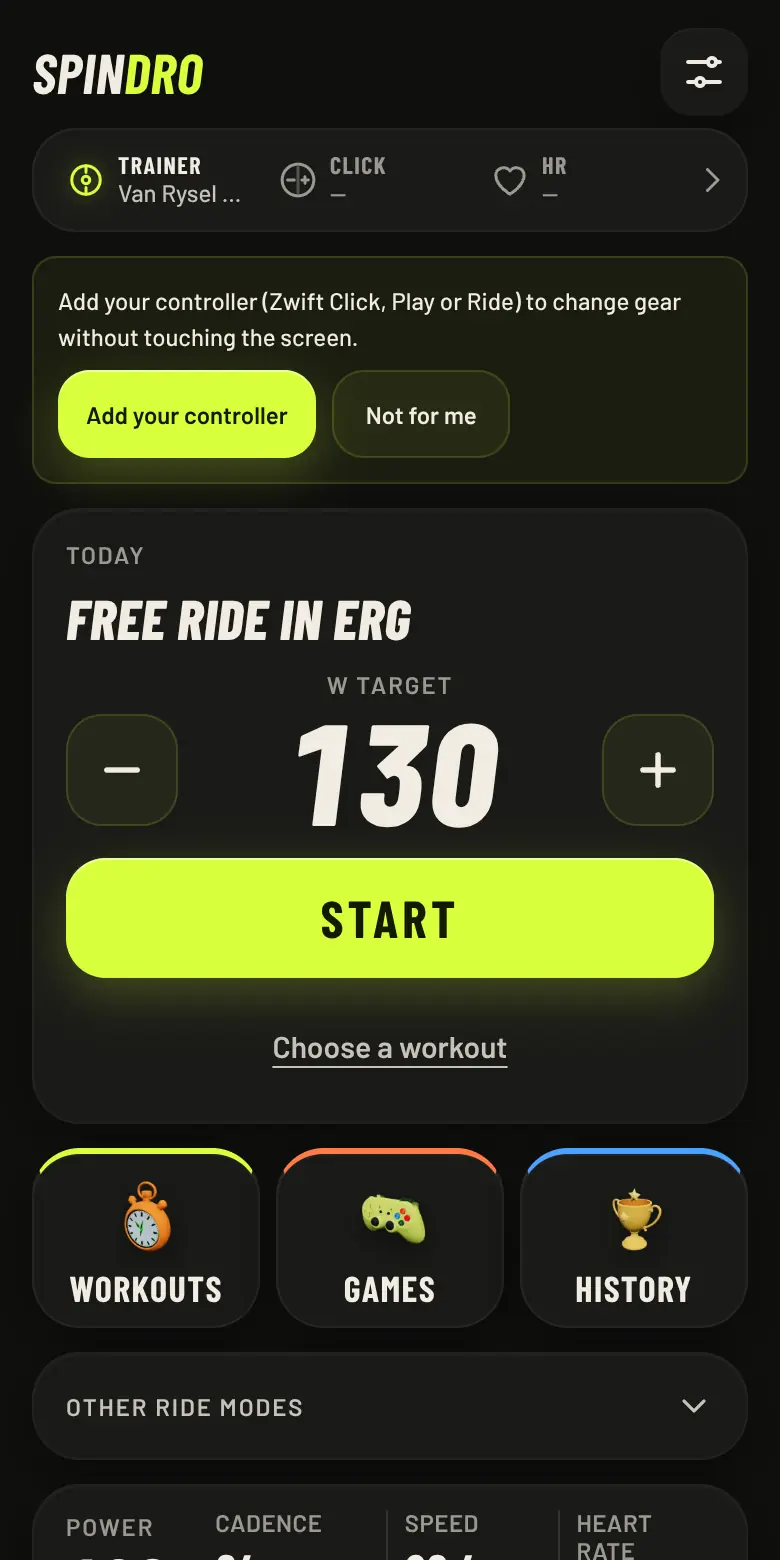
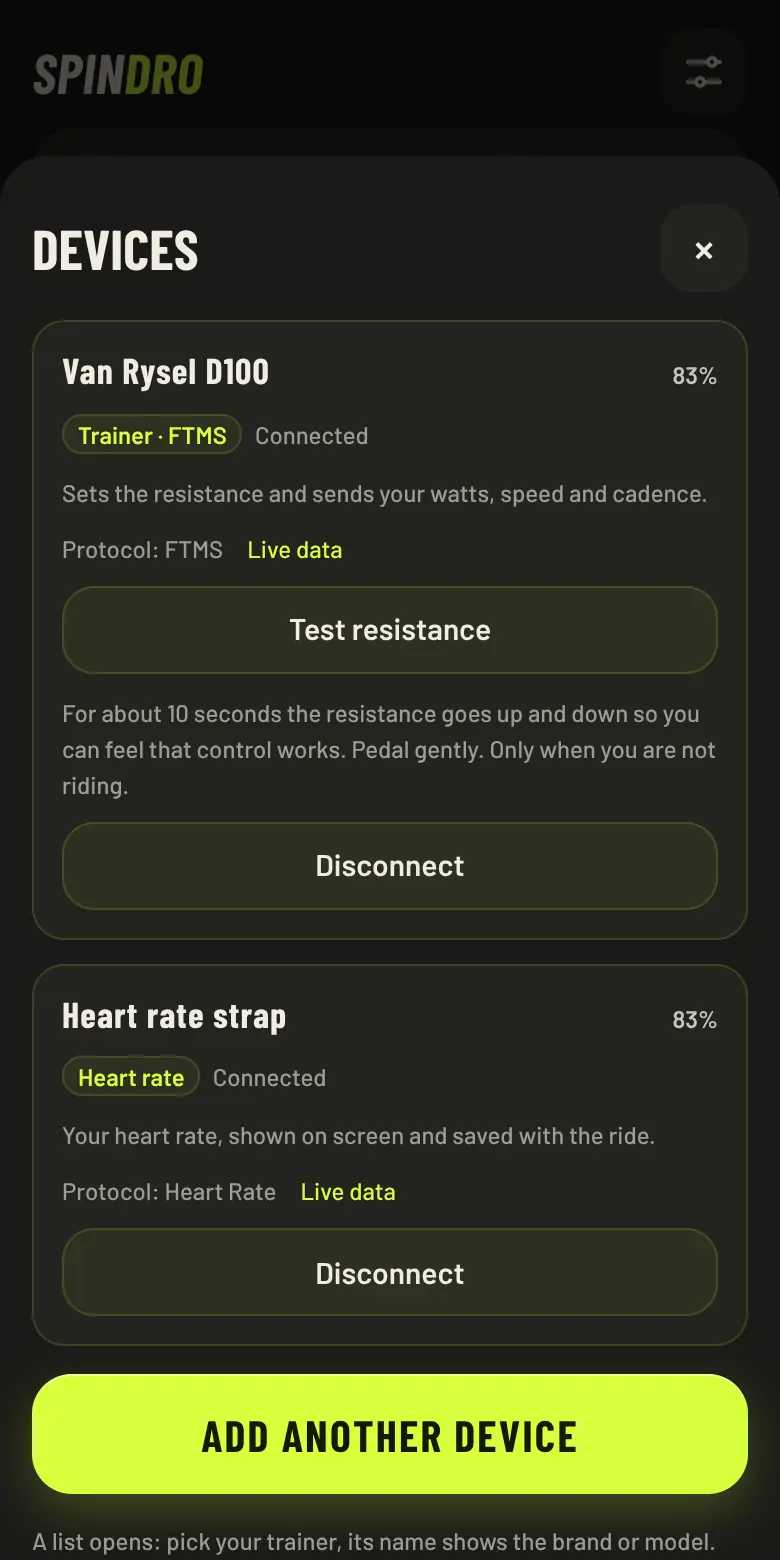
The home is built around ERG: a Today card with a target in watts, − and + to change it, and one big Start button. One “Add device” button pairs a trainer, a Zwift controller, a heart rate strap, a power meter or a cadence sensor, and the app works out what each one is for, then suggests the next one. Known devices reconnect by themselves.
- Protocols
- FTMS first; Tacx FE-C and Wahoo legacy as fallbacks
- Modes
- ERG · Virtual gears · Slope · Resistance
- Controllers
- Zwift Click, Play and Ride as shifters and remote
- Key check
- Shows which key the app receives and lets you map it
- Dropouts
- The ride keeps recording and the app retries; a banner says which device dropped
- Test resistance
- Feel that the trainer obeys before you start
Stage02
Train with a plan
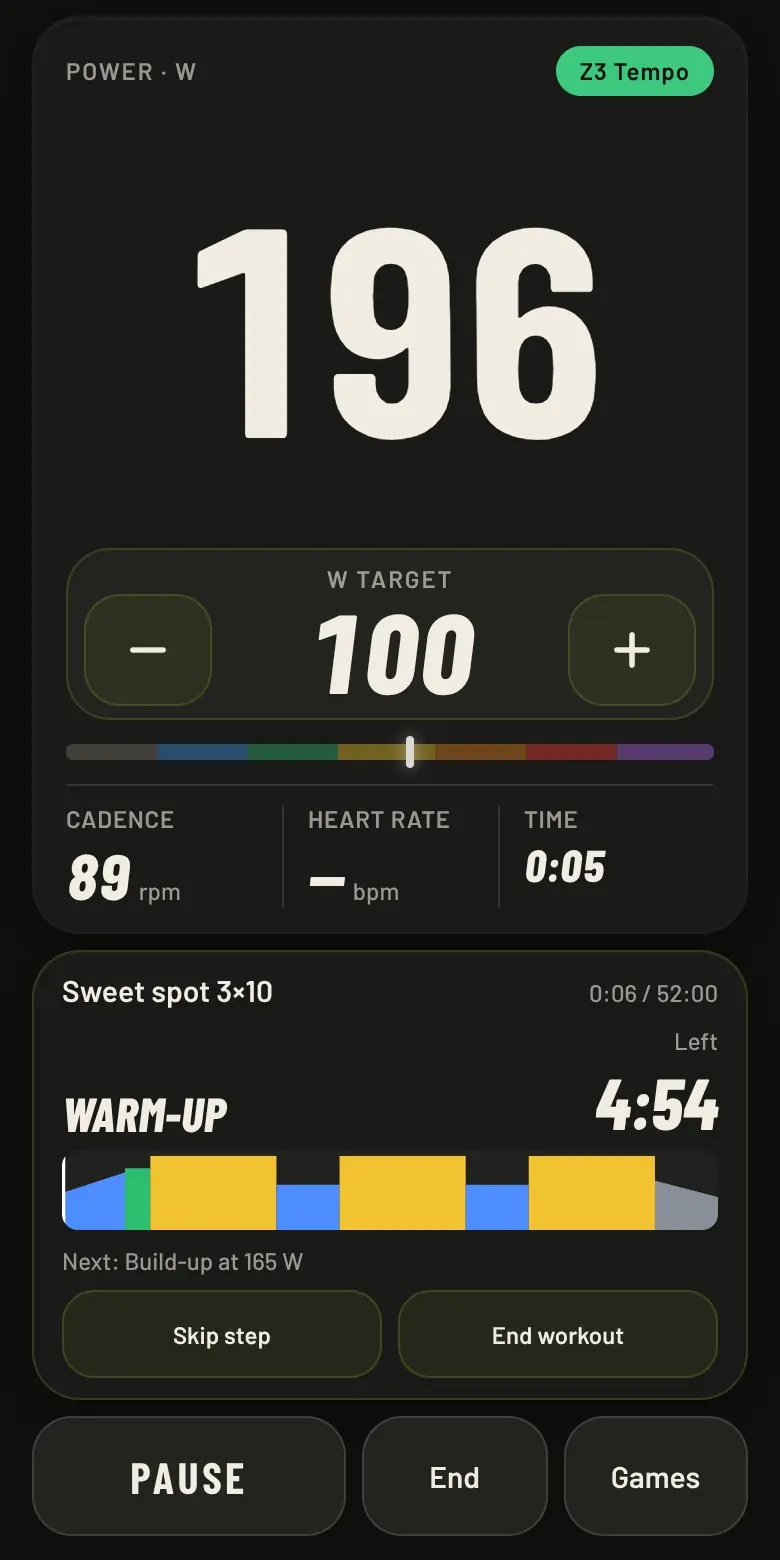
Structured workouts and multi-week plans, scaled to your FTP. If you do not know it, a ramp test estimates it. While a workout runs, the cockpit shows the current step, the time left and the next one.
- Workouts
- 34, from 24 to 90 minutes
- Plans
- 4, three to eight weeks
- Editor
- Build your own, import .zwo
- Export
- .zwo and Garmin workout .fit
- Voice coach
- Spoken cues in 5 languages
Stage03
Games that are workouts
Six 3D games, each one a structured workout as a percentage of your FTP: 5, 10 or 20 minutes, three levels, efforts and recoveries, something to do every few seconds. They share one menu, so you learn it once.
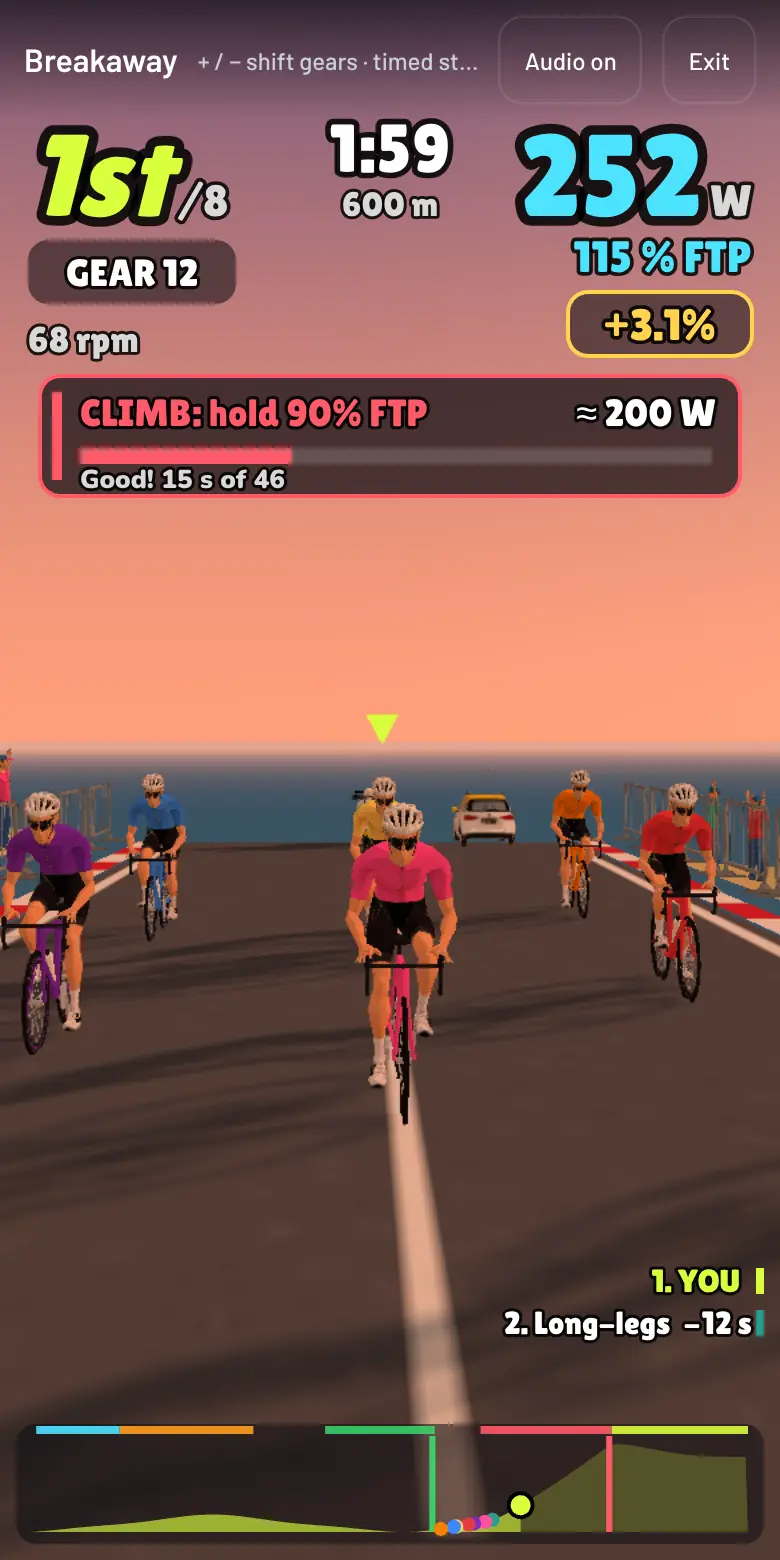
BreakawayA timed stage: breakaway, intermediate sprint, climb and final sprint. Climbs load your trainer. 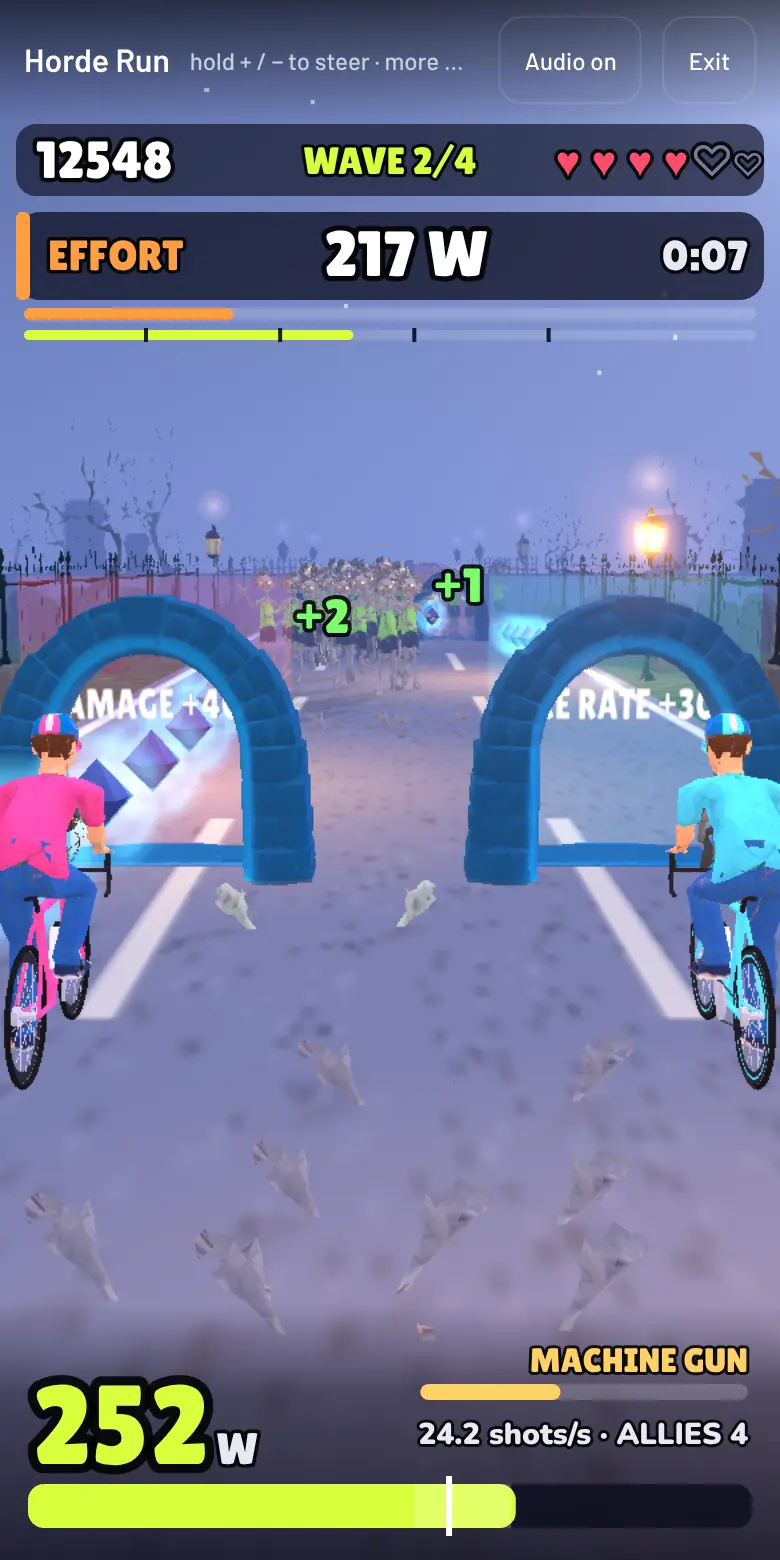
Horde RunHold the road against waves of zombies. More watts, more shots. 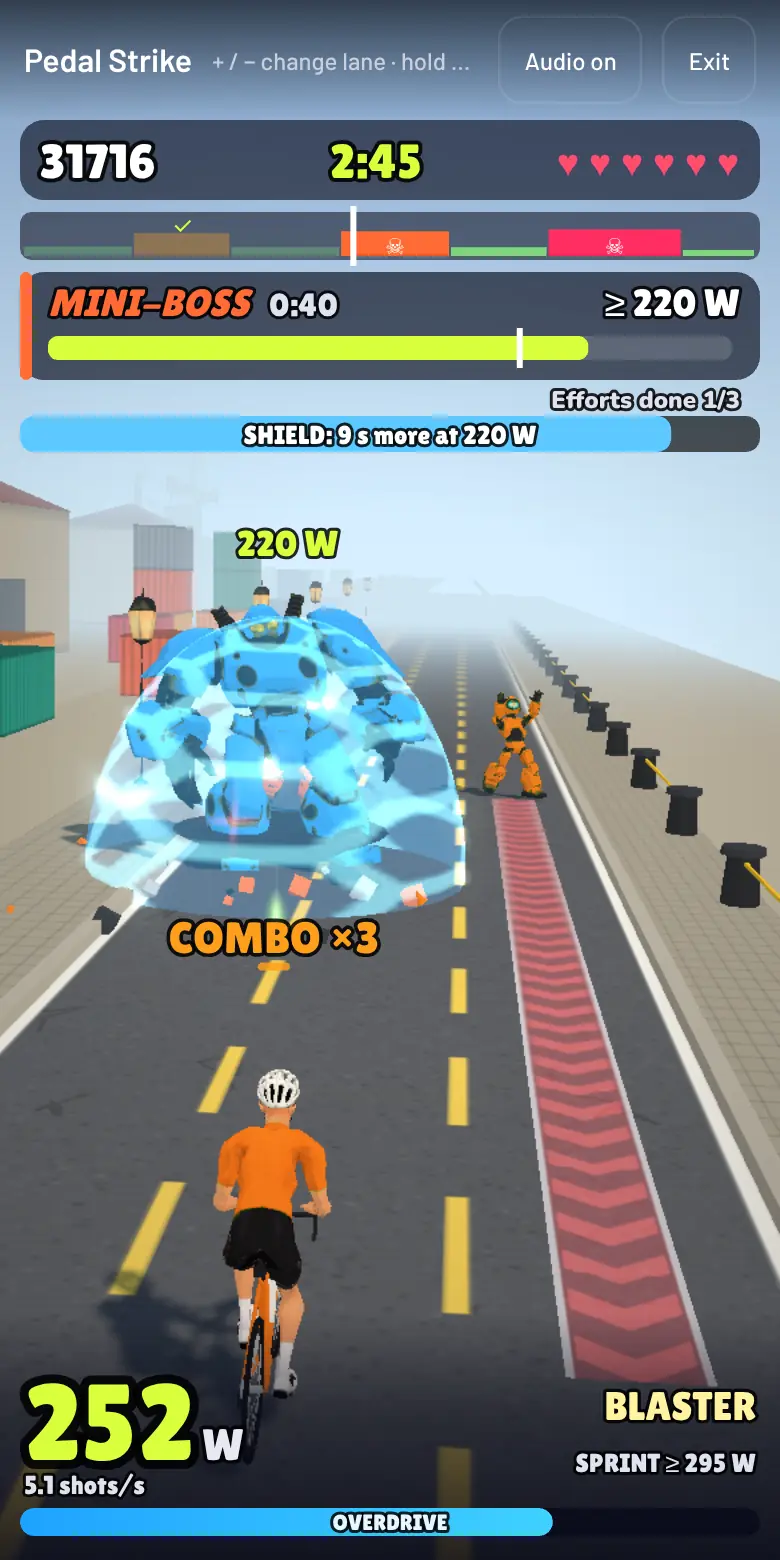
Pedal StrikeA runner shooter. Shields break only at the right watts; a sprint unleashes overdrive. 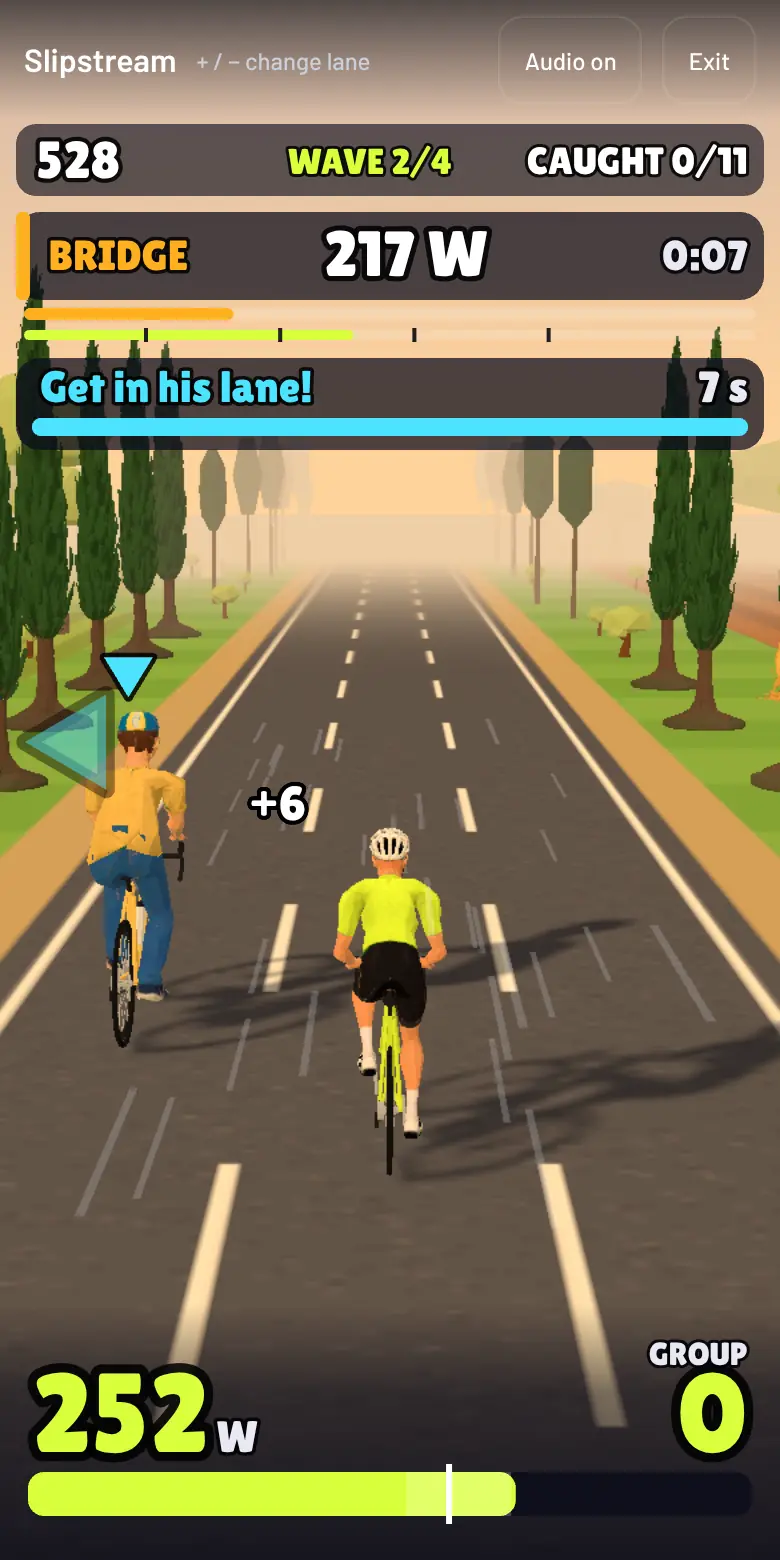
SlipstreamBridge to the riders who attack and tow them into your slipstream. 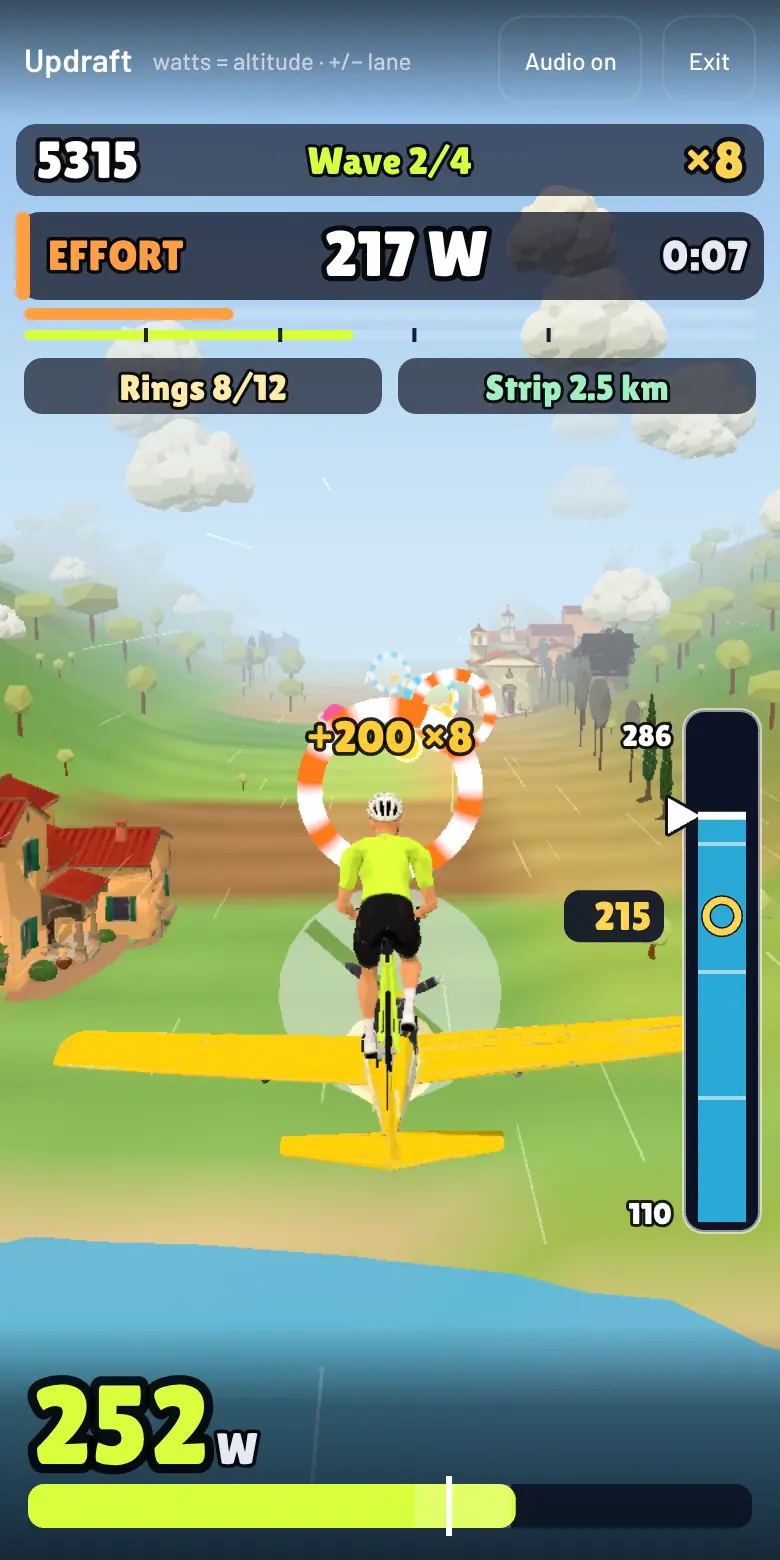
UpdraftA pedal-powered plane: your watts are your altitude. Fly the rings that draw your workout. 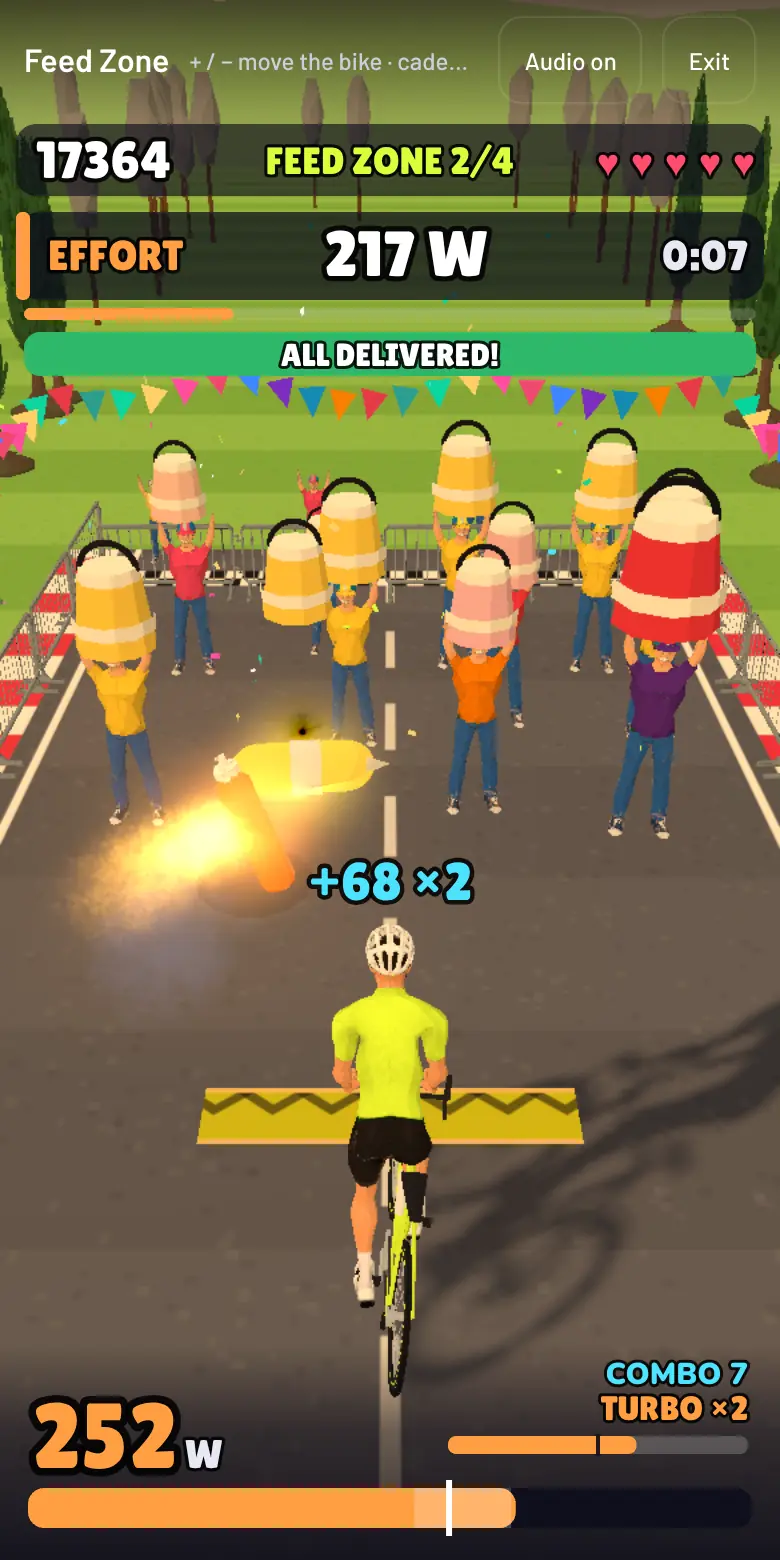
Feed ZoneBounce a bottle off the soigneurs. Cadence sets its speed, watts charge the turbo.
The games menu also plays any YouTube ride video, or a video of your own, at your own speed. If the trainer drops during a game, the game pauses with a message. A game can also follow the workout you are riding: its efforts become the waves of the game, and the stars measure how long you stay within 7% of the target watts.
Stage04
Your watch keeps the ride
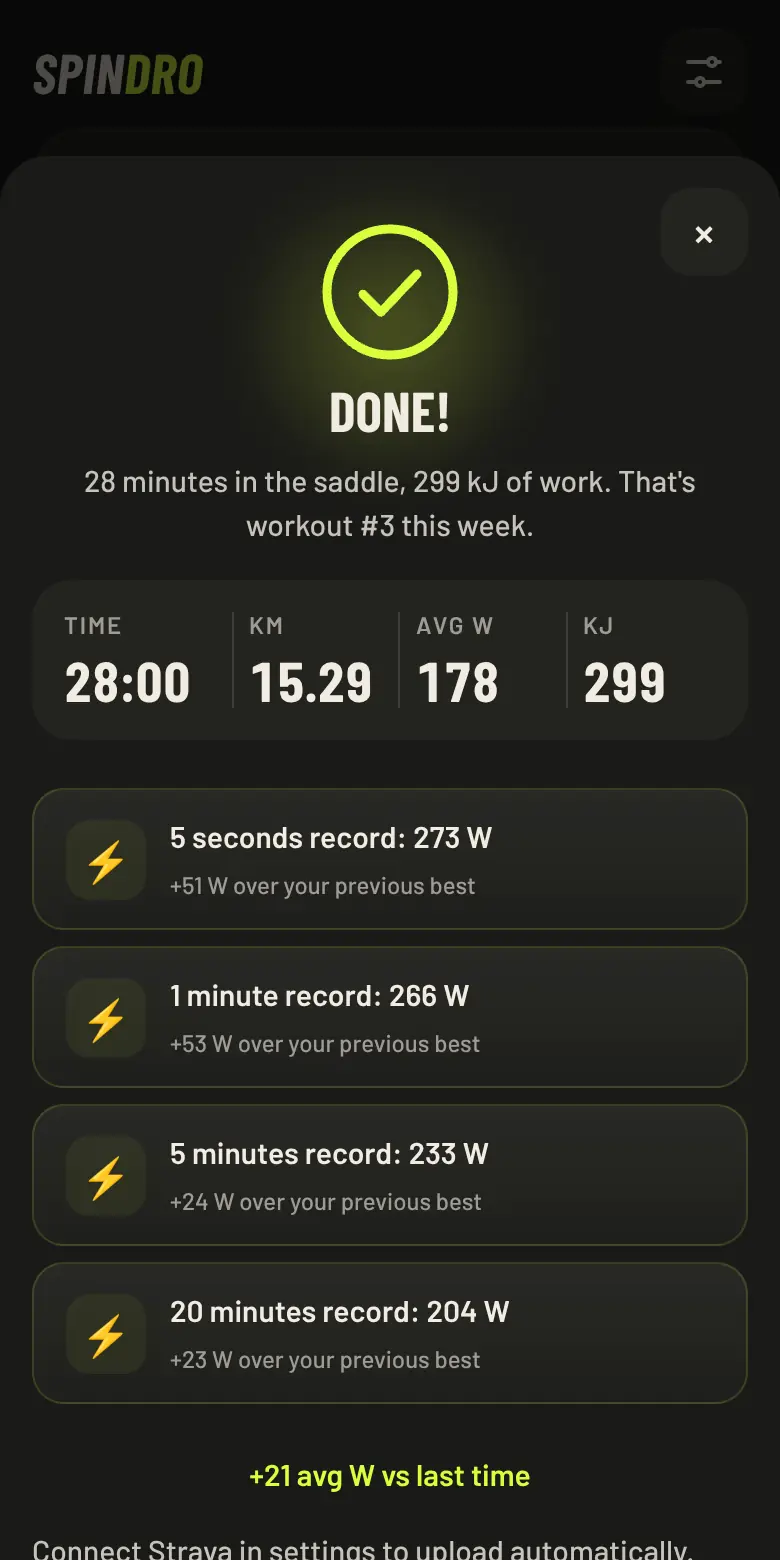
On Android the phone can broadcast power, cadence and speed as a Bluetooth sensor, so your watch records the ride and syncs it the way it always does. The app also keeps its own history.
- Watch
- Garmin and others should work, not yet verified
- File
- .fit with the GPS track of a loaded route
- Strava
- Optional upload
- History
- Records, weekly minutes, FTP estimate
Stage05
It stays yours
0 €per month
- No subscription, no ads, no in-app purchases.
- No account. Your rides stay on your device.
- GPL-3.0: the code is public and stays public.
- Five languages. Works offline once loaded.
- Visits to this site are counted anonymously; the app asks before it counts anything.
Build a game
A Spindro game is one folder, one registry entry and its text strings. The repository has a template game, a guide that goes from a fresh clone to a game on your screen in about 15 minutes, an API reference, design rules, and a bot that checks your game.
- Copy the template folder, add one registry line, add your strings.
- A shared kit gives you power and cadence, the menu, results and workout mode.
- npm run game:check plays your game at four power levels and tells you which rule it breaks.
Works with
An honest table. One trainer has been ridden for real, and so have the + and − keys of one Zwift Click. The rest is built from public specifications and tested against simulated devices.
| Van Rysel D100FTMS | Ridden for real |
|---|---|
| Other FTMS trainersMost since 2020 | Should work |
| Tacx FE-C · Wahoo legacyOlder firmware | Simulators only |
| Zwift Click (v2)+ and − keys | Ridden for real |
| Zwift Click arrows, Play, RideRemote and shifter | Simulators only |
| Garmin and other watchesSensor bridge, Android | Should work |
Questions
Is it really free?
Yes. No subscription, no ads, no in-app purchases. The source code is open on GitHub. The project is run by one person; you can help with bug reports, trainer reports and code.
Do I need an account?
No. You open the app and ride. Your rides, records and settings stay on your device. You can export a backup to move them to another device.
Does it work on iPhone and iPad?
Not in Safari: Apple does not allow Web Bluetooth there. A browser that adds Web Bluetooth, such as Bluefy, should work; we have not tested it. A native iOS app may come later.
Which browser and device do I need?
Android: Chrome, or the Android app. PC, Mac, Linux and ChromeOS: Chrome or Edge with Bluetooth. The page must be served over HTTPS. The web app can also be installed from the browser menu, and it offers to reload when a new version is ready. The screen stays on while you ride.
Which trainers work?
Spindro speaks FTMS, the standard Bluetooth protocol used by most recent smart trainers. We have ridden one trainer for real. The compatibility page says what is verified, what should work, and how to report yours.
Is it a Zwift replacement?
It does the trainer side: ERG, virtual gears, structured workouts and games. It is not an online virtual world: there is no multiplayer. A trainer accepts one Bluetooth connection at a time, so close other apps first.
Can I write my own game?
Yes. The games share a kit and a set of design rules. Start from the Build a game page.
What happens to my data and privacy?
This website has no cookies and no ads, and its fonts are served from the same site. We count visits anonymously with GoatCounter, with no cookies and no personal data. In the app, ride data stays on your device, and anonymous usage counting only starts if you agree. Data leaves the device only if you use Strava (it sends the ride to Strava), play a YouTube video (Google's player loads) or export a file. Read the privacy policy for the details.
Clip in.
Open the web app, connect the trainer, ride. It takes about a minute.
Google Play: coming soon · Direct APK from GitHub Releases